Integrations
Integrations
Connect alert sources, Slack, ticketing, email, threat intelligence, secrets for workflows and containment guardrails.
Admins connect everything from Settings → Integrations. Each card shows whether it is on.
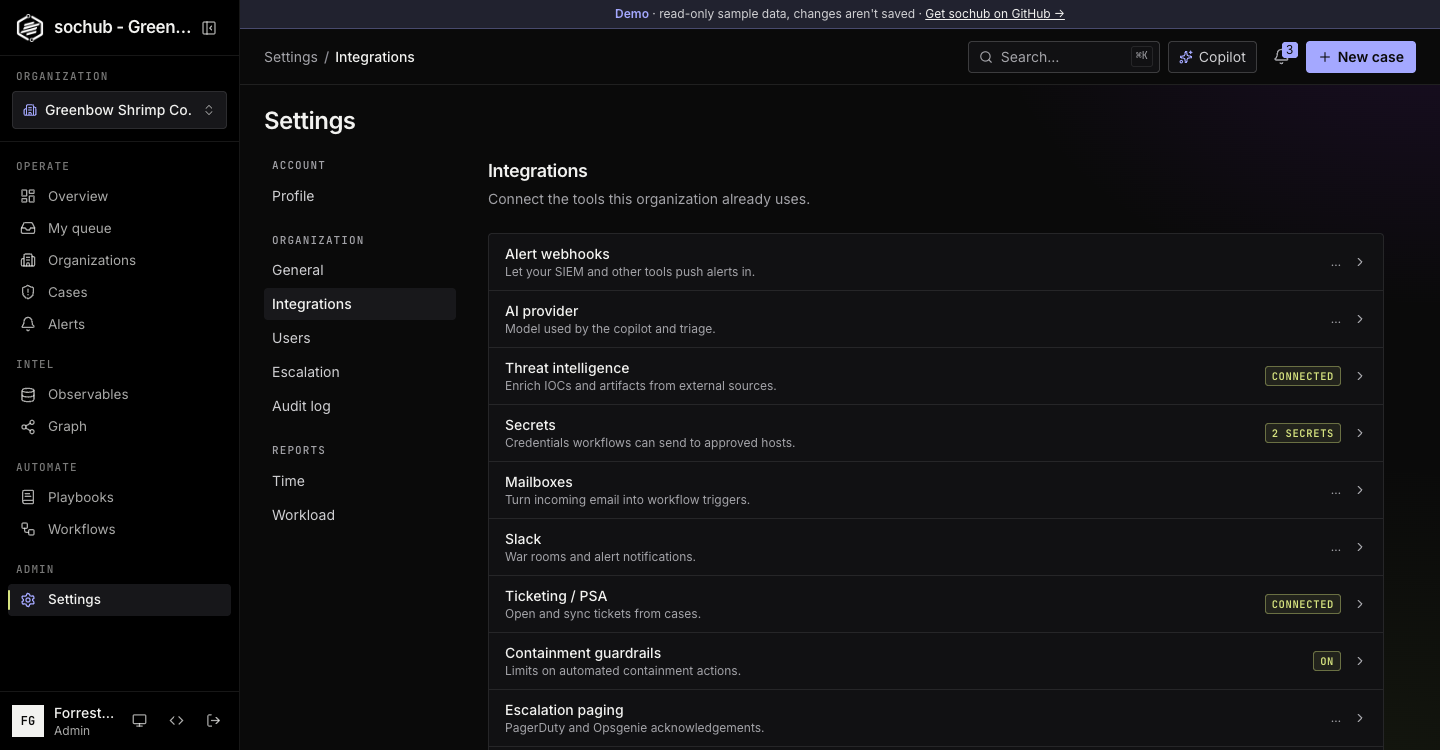
| Card | What it does |
|---|---|
| Alert webhooks | One webhook and API key per source, so your tools can push alerts (Alerts) |
| AI provider | The model used by the Copilot and triage (AI) |
| Threat intelligence | Enrichment sources and MISP (Observables) |
| Secrets | Credentials workflows can send to approved hosts (below) |
| Mailboxes | IMAP mailboxes whose new mail starts workflows |
| Slack | War rooms, case cards, responder alerts and DMs (Slack and war rooms) |
| Ticketing / PSA | Jira, HaloPSA or ConnectWise tickets from case tasks (Playbooks and tasks) |
| Containment guardrails | Limits on what automations may contain (below) |
| Escalation paging | PagerDuty and Opsgenie for escalations |
| Automation HTTP allowlist | Internal hosts workflows may call |
Slack
Connect your own Slack app for case cards and commands, responder alerts, direct messages and per-case war rooms. Setup and everything it does are on Slack and war rooms.
Ticketing
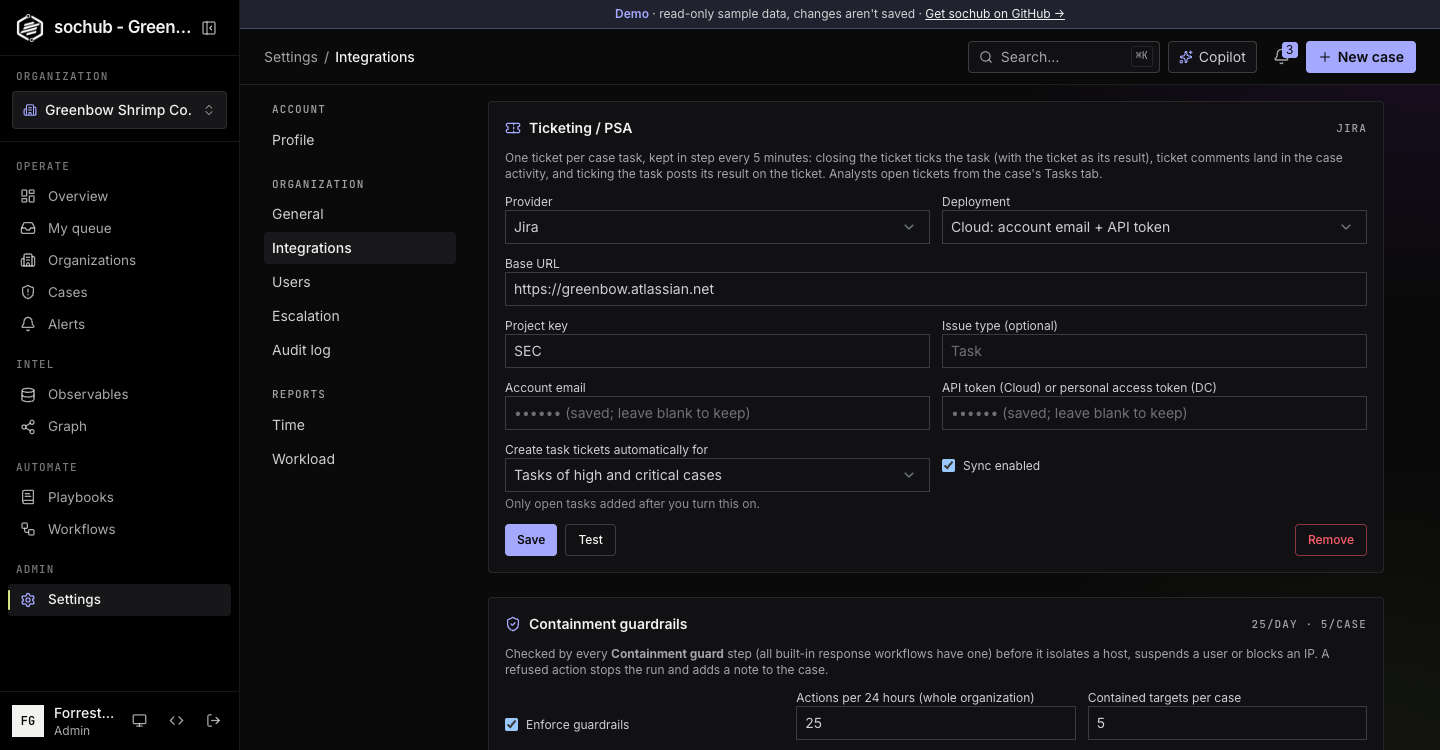
One ticketing system per organization: Jira Cloud (personal API token or an Atlassian service account) or Data Center, HaloPSA, or ConnectWise Manage. Test signs in and reads the project or board without creating anything. How tickets follow tasks is described in Playbooks and tasks.
Mailboxes
Connect an IMAP mailbox (for example the inbox where users report phishing). New mail in its folder starts
workflows with the email.received trigger, and can optionally become an alert when no workflow handles it. TLS is
mandatory and certificates are verified.
Secrets
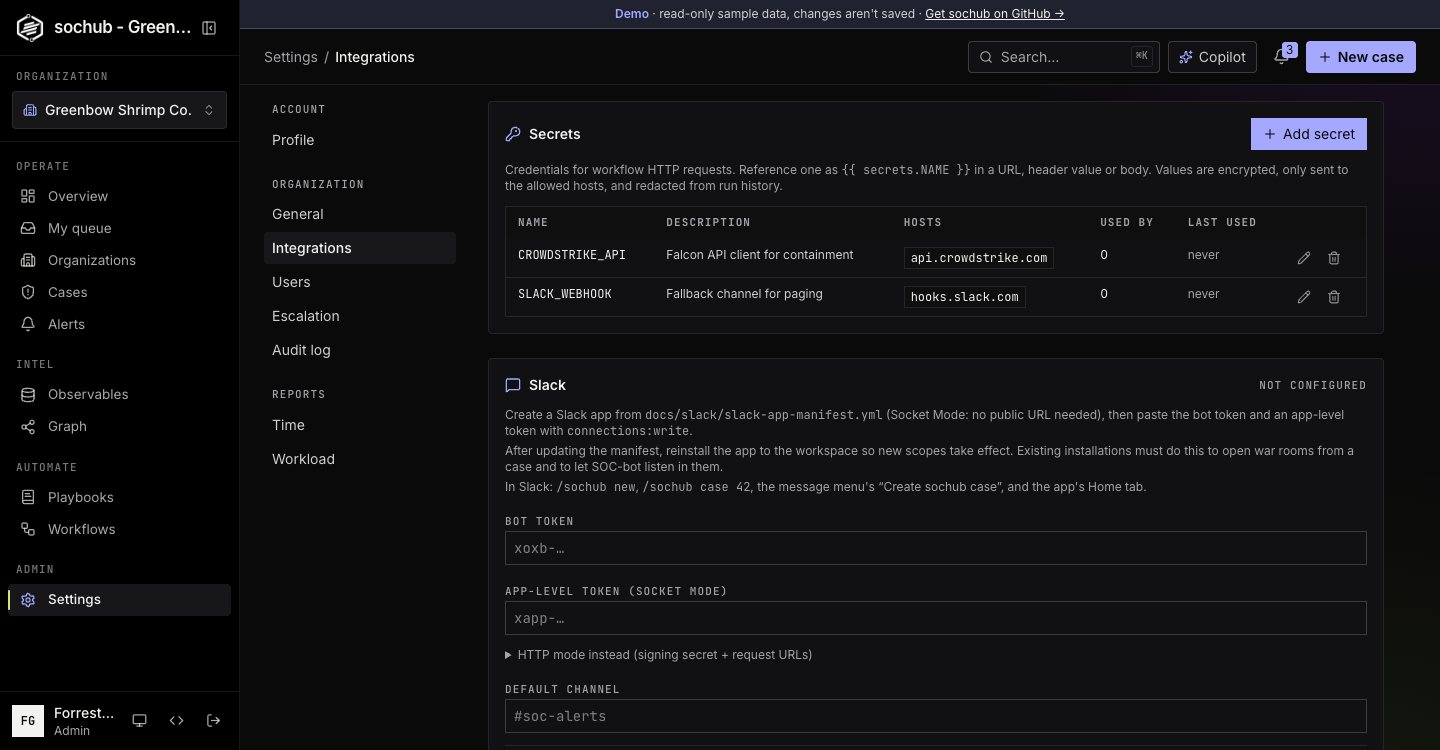
Workflows that call vendor APIs need tokens. Store them in Secrets and reference them by name in a workflow
HTTP step as {{ secrets.NAME }}. Secret values are encrypted, can’t be read back, are only sent to the hosts you
allow and only over HTTPS, and never appear in run history. If a workflow contains a token in plain text, a banner
on the Workflows page offers to move it into a secret in one step.
Containment guardrails
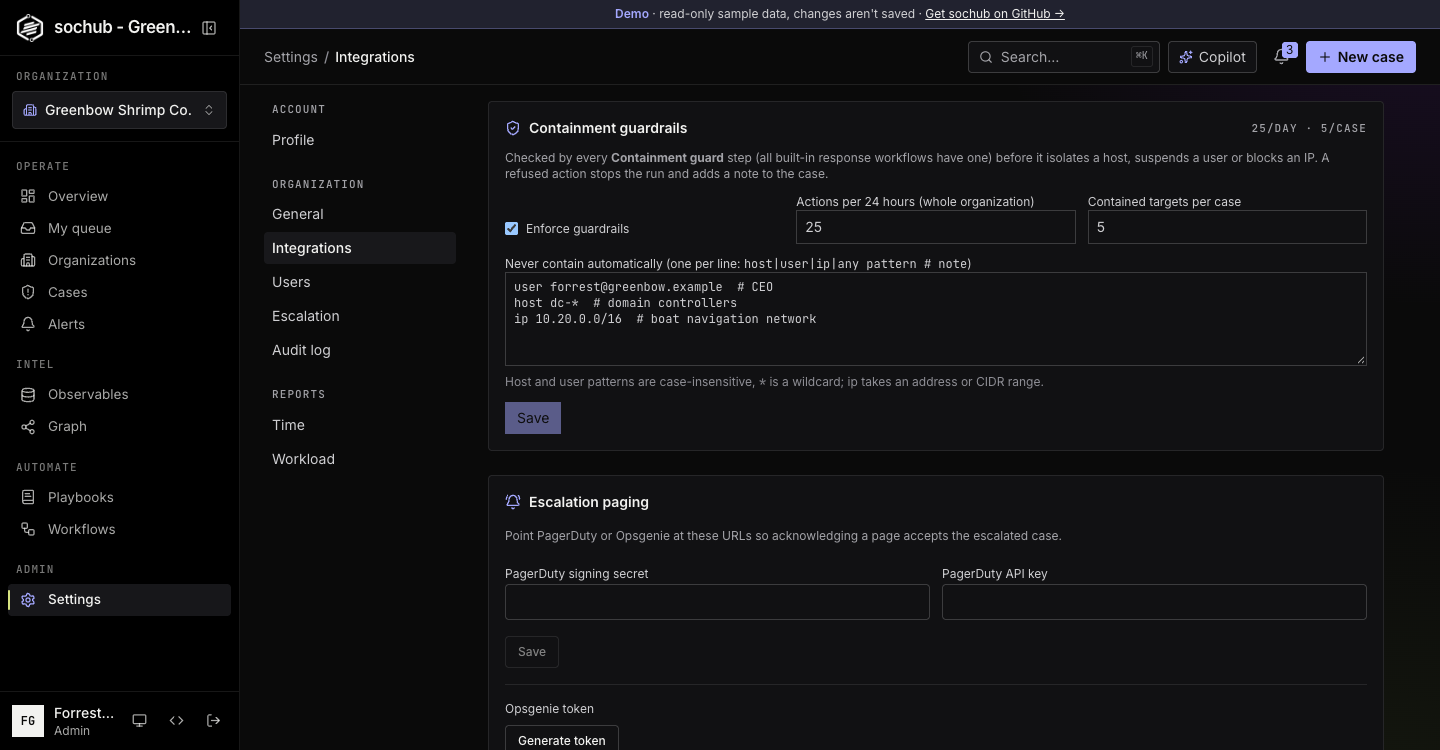
Response workflows that isolate hosts, disable users or block IPs check the guardrails first:
- Never contain automatically: one pattern per line, such as
host dc-*,user ceo@example.comorip 10.0.0.0/8. - Actions per 24 hours for the organization (default 25) and contained targets per case (default 5).
A refused action stops the run and adds a note to the case. The case’s Containment list shows active, refused and released actions with how to undo each.
Escalation
Settings → Escalation defines responder groups that cases can be escalated to, and a policy of tiers tried in order. In-app notifications are always sent; with Escalation paging configured, an escalation also pages PagerDuty or Opsgenie and records the acknowledgement.
Found a mistake? Edit this page or open an issue on GitHub.