Intelligence
Observables, enrichment and the graph
Track IOCs and artifacts across cases, enrich them with threat intelligence, and see how cases connect.
Observables
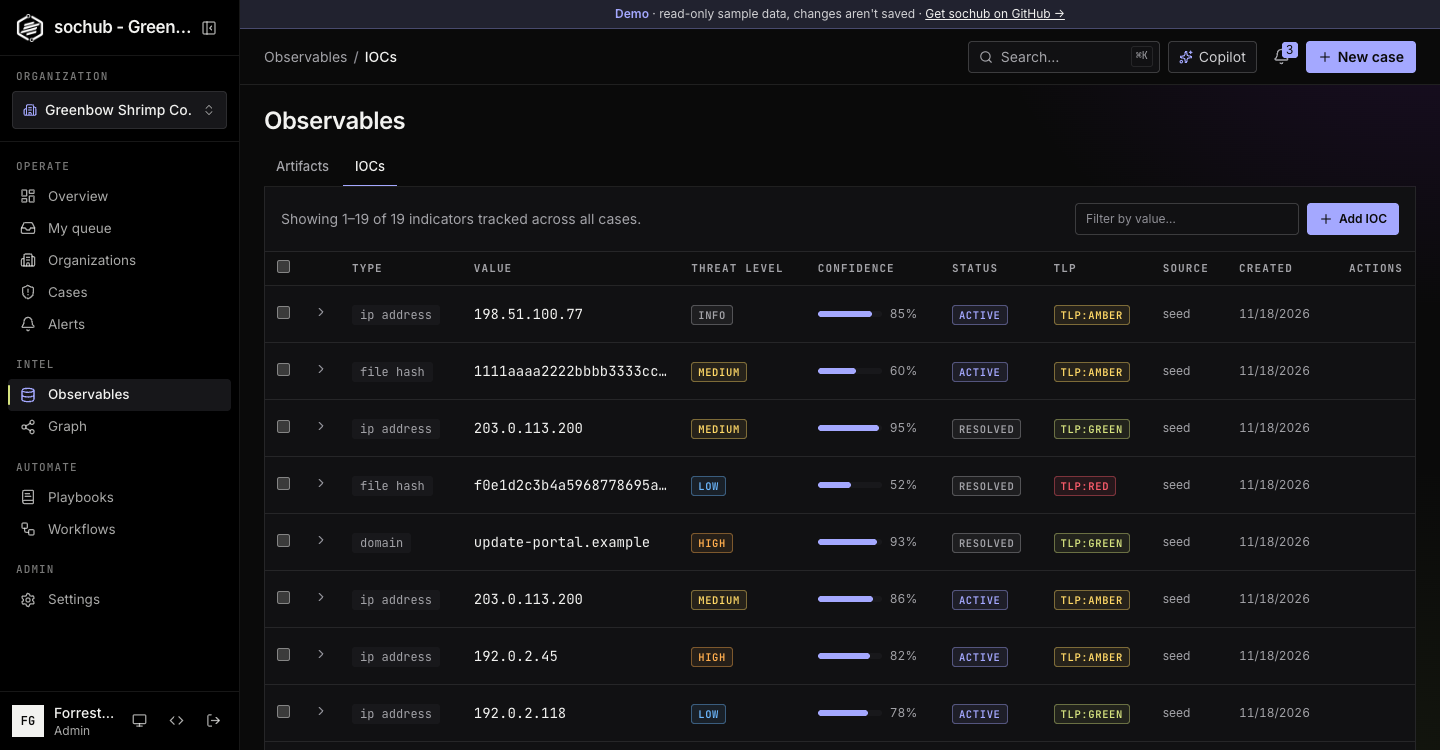
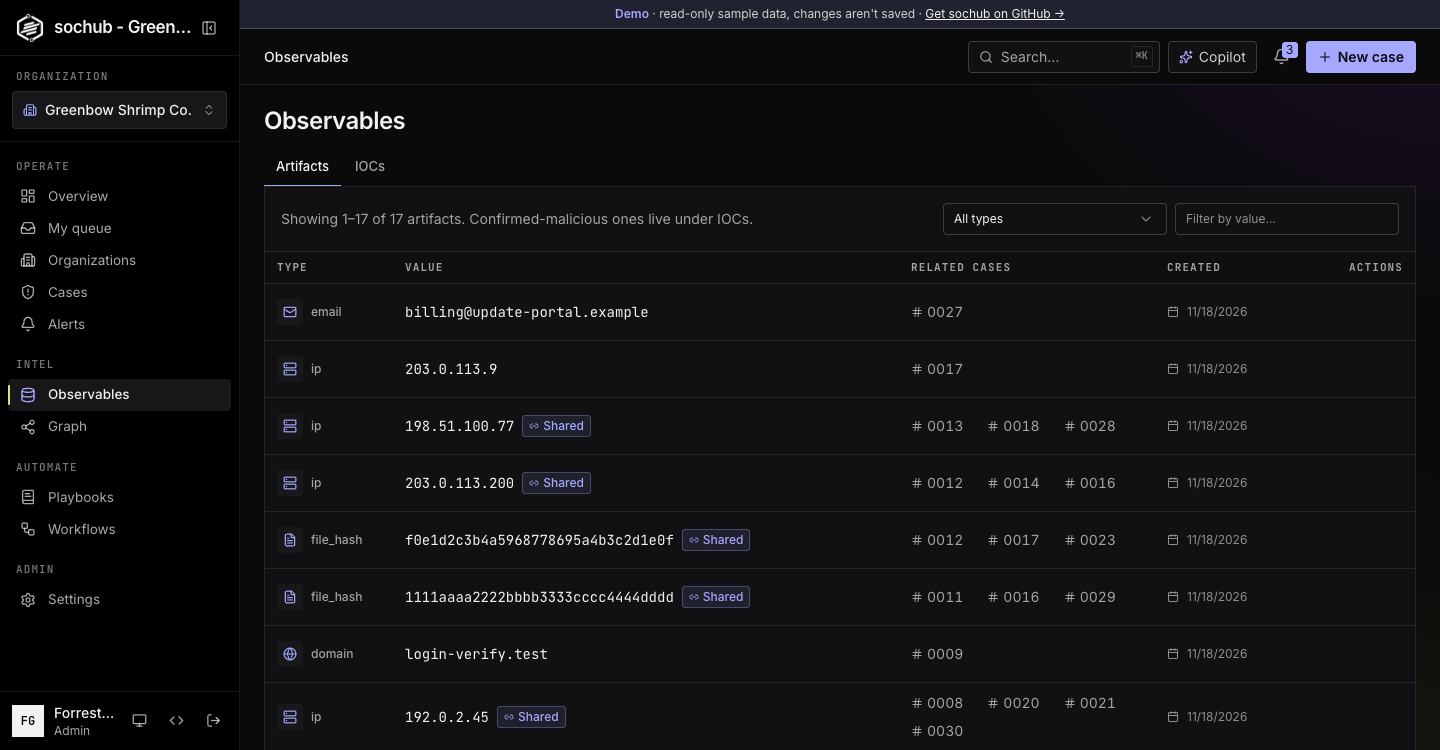
Observables has two lists for the whole organization:
- IOCs: indicators you have decided are malicious or suspicious, with a type, threat level, TLP and tags. Any artifact can be promoted to an IOC.
- Artifacts: every value recorded on a case (IP, domain, URL, hash, email, or a custom type), with the cases it appears in.
Both lists page and search on the server, and filter by type.
Threat-intel enrichment
IOCs and artifacts can be looked up in VirusTotal, URLhaus, ThreatFox, RDAP, crt.sh and your own MISP server. Lookups only ever query; nothing is uploaded. Results appear in an enrichment panel with a verdict per source, a verdict dot on the IOC list and, when the evidence is stronger than the IOC’s current threat level, a suggestion to raise it or add tags.
Enrichment respects TLP: it runs automatically up to a level the admin chooses (green by default), runs at amber or red only after you confirm, and never sends private IPs or internal domains out. Admins configure the sources in Settings → Integrations.
With MISP connected, a case’s IOCs can also be pushed to MISP as an event.
Investigation graph
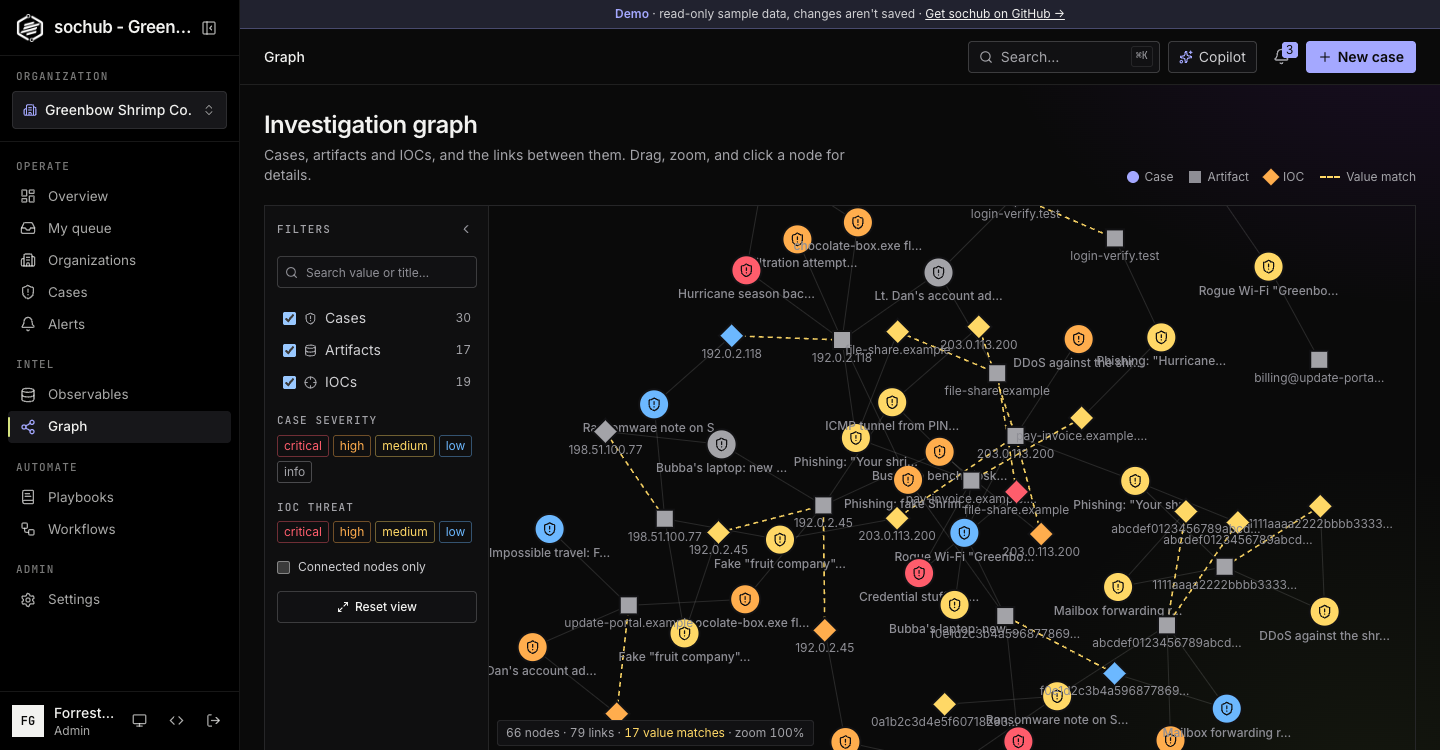
Graph is an interactive map of cases, artifacts and IOCs. Dashed bridges connect an IOC to artifacts that share its value, so cross-case links stand out. Filter by node type, severity or threat, search, show only connected nodes, and click any node for its details and links into the cases. Each case has the same view, limited to that case, on its Network tab.
Found a mistake? Edit this page or open an issue on GitHub.